Living with it
The config file
Where your settings live on disk, how the presets interact with them, and how to share a setup.
Everything you change in the panel is written to one plain-text file. You never have to open it — the panel is the better interface for almost every job — but knowing where it is makes backing up, sharing and resetting your setup trivial.
Where it lives
...\Streets of Rogue\BepInEx\config\UngodlyStreetsOfRogueAI.cfg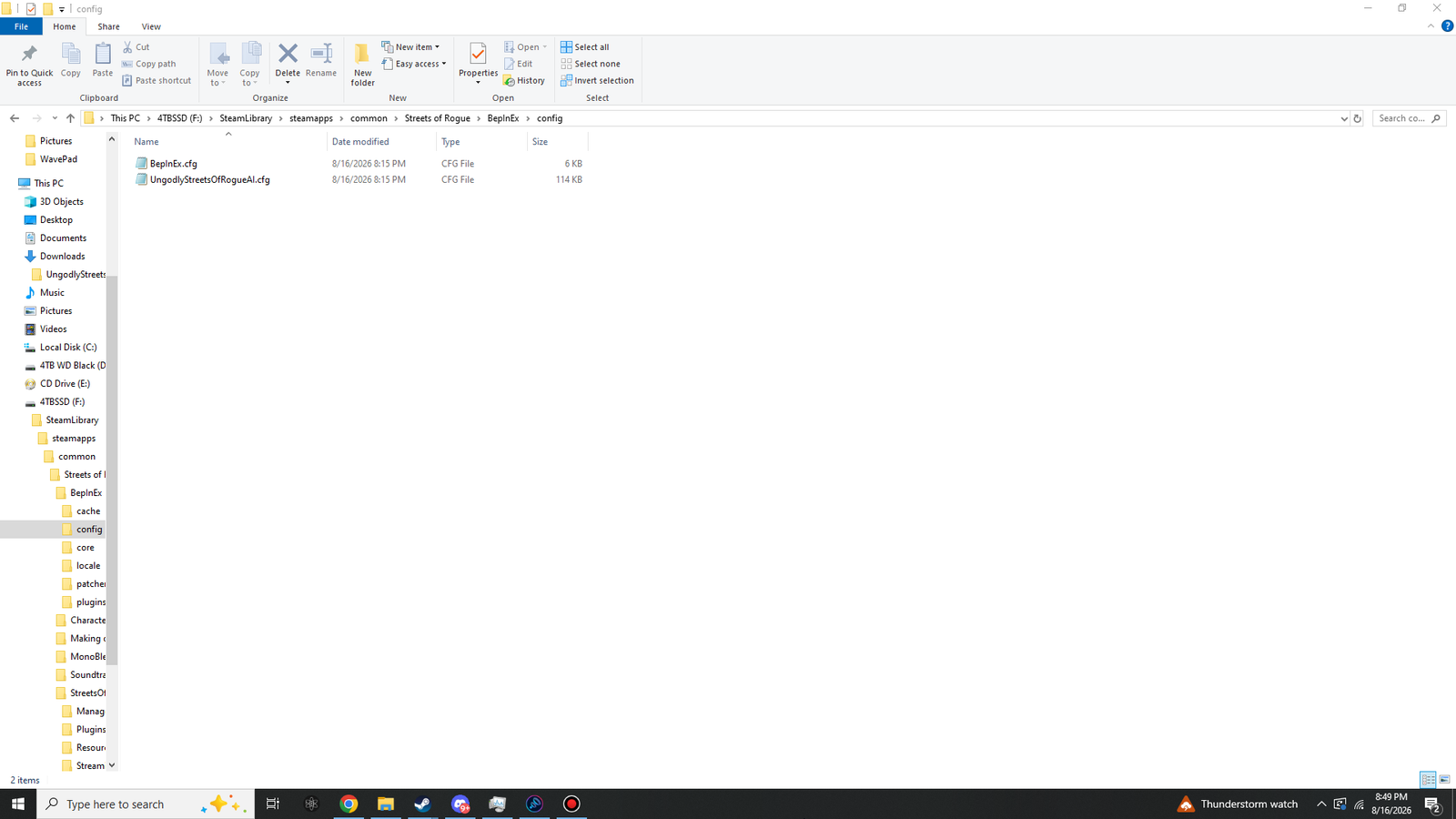 Click to enlarge · 1920 × 1080
BepInEx.cfg is BepInEx's own settings; the larger file is this plugin's.| Created | Automatically, the first time the plugin runs. Do not create it by hand. |
|---|---|
| Format | BepInEx's TOML-style config format — sections in square brackets, then Key = Value lines. |
| Size | About 115 KB for 354 settings, because each one carries its full explanation and range as comments. |
| Encoding | UTF-8. Notepad, Notepad++, VS Code — anything that does not add formatting. |
| Read | At game startup. |
| Written | When you press Save Now, and on a clean exit. |
What a setting looks like
The same plain-English explanation that appears under a setting in the panel is written into the file as a comment, along with the documented range. That is deliberate: one source of truth, so the file and the panel can never disagree with each other.
## The basics: whether the new AI runs at all, who it is allowed to touch,
## and where it stands down.

[00 - Core - General]

## Turns the whole AI replacement on or off without uninstalling anything.
## Off means every character in the city thinks exactly the way the
## unmodified game makes them think.
# Setting type: Boolean
# Default value: true
MasterSwitch = true

## Everyone upgrades every character on the level. HostilesOnly upgrades only
## people who already want to hurt somebody. NonPlayerOnly leaves anyone you
## are controlling alone. EnforcersAndGangs upgrades only cops, soldiers and
## gang members.
# Setting type: Scope
# Default value: Everyone
# Acceptable values: Everyone, HostilesOnly, NonPlayerOnly, EnforcersAndGangs
WhoGetsTheNewBrain = Everyone
Numeric settings additionally carry their minimum and maximum, so you can see the legal range without opening the panel:
# Setting type: Single
# Default value: 0.35
# Acceptable value range: From 0 to 1
Editing it by hand
The plugin writes this file on exit. Edit it while the game is running and your changes are overwritten the moment you quit. Close the game, edit, save, then launch.
- Change only the value to the right of the
=sign. Leave the key name and the comment lines alone. - Respect the documented range. Out-of-range values are clamped, so you get the boundary rather than the number you typed.
- Booleans are lowercase
trueandfalse. - Enumerated values must be spelled exactly as listed in the
Acceptable valuescomment, including capitals. - Decimals use a full stop, never a comma, regardless of your Windows regional settings.
Presets and your hand-tuned values
This trips people up once, and only once. The difficulty presets write across the other tabs — that is what makes them one-click. So:
If you have tuned settings you want to keep, set the difficulty preset to Custom. With Custom selected the preset stops overwriting your numbers. Choosing any named preset — or pressing Reapply Preset — deliberately flattens your changes back to that preset's values.
Backing up and sharing a setup
The file is completely portable. Copy it somewhere before experimenting, and copy it back to restore:
copy "BepInEx\config\UngodlyStreetsOfRogueAI.cfg" "%USERPROFILE%\Documents\ungodly-sor-backup.cfg"
To share a setup with a friend, send them that one file and have them drop it into their own
BepInEx\config\, replacing what is there. Same plugin version on both machines is the
only requirement.
Starting over
- Reset one setting
- Use the reset control on the right of that setting's row in the panel.
- Reset one tab
- Reset Tab along the bottom of the panel.
- Reset everything
- Reset All, or close the game, delete
UngodlyStreetsOfRogueAI.cfg, and launch again — the plugin rebuilds a complete default file. - Return to stock AI without uninstalling
- Turn the master switch off. Every character reverts to the unmodified game's behaviour instantly, with the plugin still loaded and every setting preserved.
Because decisions are made on the authority, the config that shapes NPC behaviour in a session is
the host's. A client's own settings still govern their panel and their local
interface options, but they will not override what the host has decided. The
network line on the status readout tells you which side of that you are on.